How to Enable Email Notifications in BeeForm
Set up email notifications to receive alerts when respondents submit your form, with customizable frequency.
Open BeeForm Designer
Launch your Google Form and open BeeForm by clicking the Add-ons icon, selecting BeeForm, and clicking 🚀 Open App.
Find Email Notifications
In the Settings Panel on the left side of the Designer, scroll down to locate
the Alerts & Limits section. Click on it to expand and view
the notification settings options.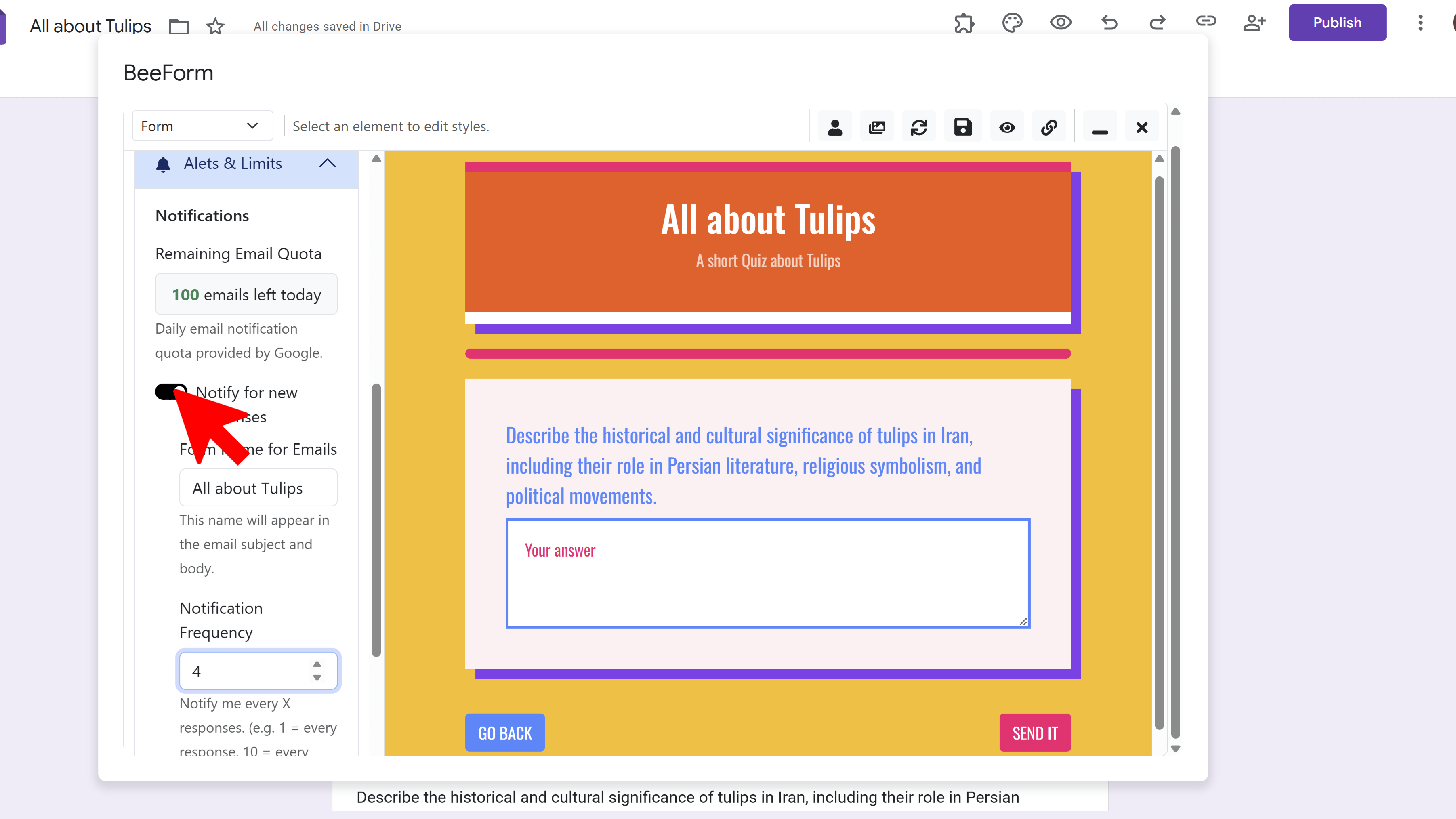
Enable Notifications
Toggle the Enable Notifications switch to ON. This activates the email notification feature, which will send you updates whenever someone submits your form.
Choose Frequency
Set how often you want to receive notifications by entering the number of submissions. For example, enter 1 to receive a notification after every single submission, or enter 5 to receive a notification after every 5 submissions. This helps you manage your inbox while staying informed about form responses.
Save and Test
Click the Save icon in the toolbar to save your notification settings. To test that notifications are working, submit a test response to your form using the preview link. You should receive an email notification based on your chosen frequency.
Tips and Best Practices
- Set the notification frequency to 1 for urgent forms like event registrations or support requests where quick response is needed.
- For high-volume surveys, set a higher number (like 10 or 20) to avoid inbox overload while staying updated.
- Notification emails include response details and direct links to any uploaded files for easy access.
Common Pitfalls to Avoid
- Check your spam folder if you don't receive notifications - add the notification email address to your contacts.
- Remember that notifications are sent to the email address associated with your Google account that owns the form.
- Don't rely solely on email notifications - also check your form responses regularly in Google Forms.
External Resources
BeeForm: Pretty Forms Designer
Transform your Google Forms into beautiful, professional, and highly customizable web forms.
- Professional preset themes
- Complete design customization
- Wizard mode for multi-step forms
- Response limits & notifications
- Easy-to-use visual designer
- Works directly in Google Forms