How to Create Custom Landing Pages for QR Codes in CrabQR
Create custom landing pages for your QR codes with CrabQR. Add branding, welcome messages, and call-to-action buttons before redirecting users to your final destination.
- Navigate to Landing Pages
- Click Create Landing Page
- Customize Colors and Text
- Set Redirect Delay
- Assign to QR Codes
Navigate to Landing Pages
In the CrabQR sidebar, click on the Management or Templates section from the main navigation menu. Look for the Landing Pages tab or option. This section displays all your saved landing page templates. Landing pages act as branded intermediate pages that appear before redirecting users to their final destination.
Click Create Landing Page
Click the Create Landing Page button to open the landing page
designer. Give your landing page a descriptive name like "Brand Welcome Page"
or "Event Info Page" so you can easily identify it when assigning it to QR
codes. This name is only visible to you in the management interface, not to
users who scan your QR codes.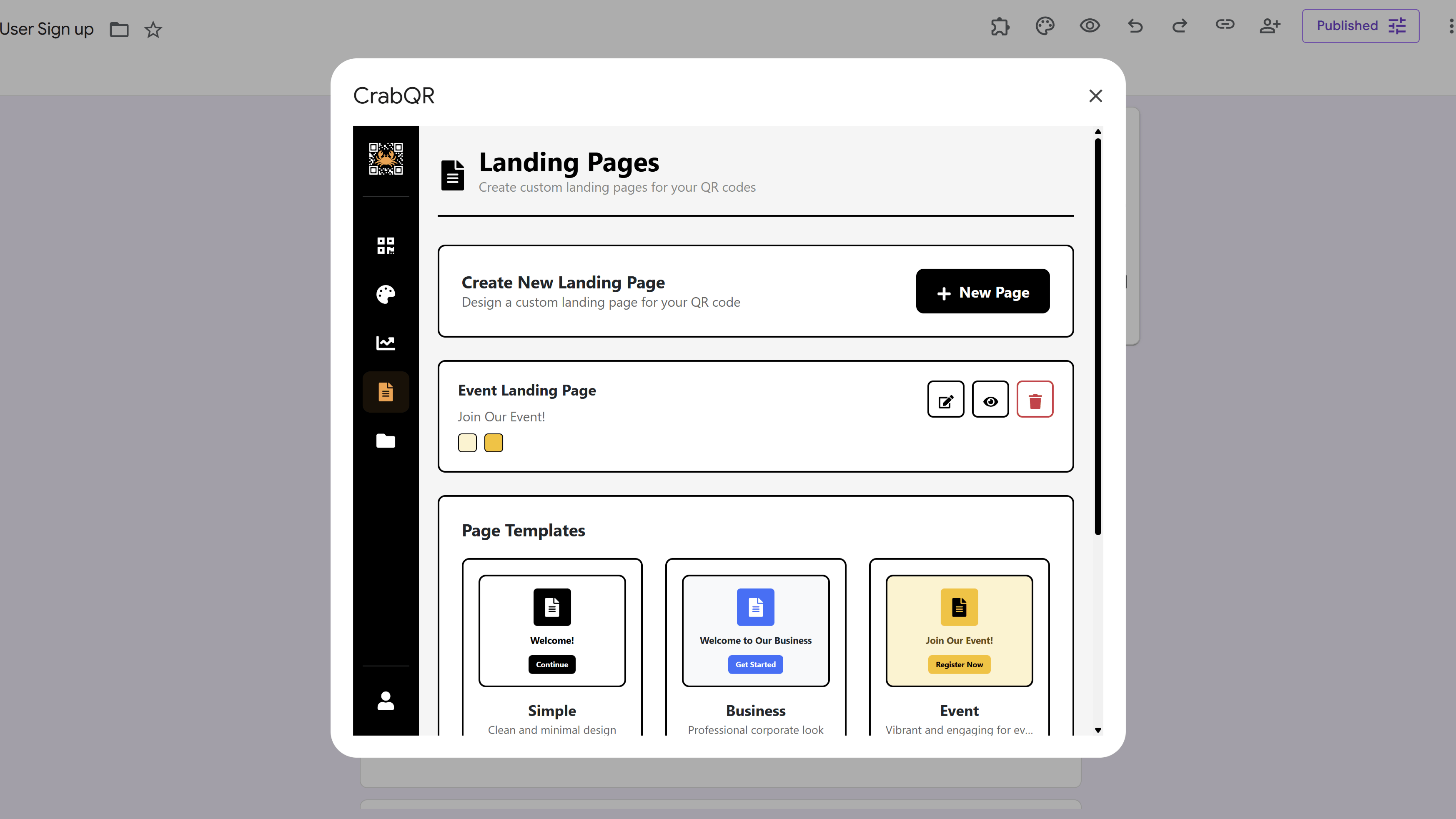
Customize Colors and Text
The designer shows several customization options. Set your
Background Color to match your brand (typically your brand's
primary color). Choose a Text Color that contrasts well with
the background for readability. Set the Button Color and
Button Text Color to make the continue button stand out. In
the text fields, enter a Welcome Message (e.g., "Welcome to
Our Event!") and custom Button Text (e.g., "Continue to
Website").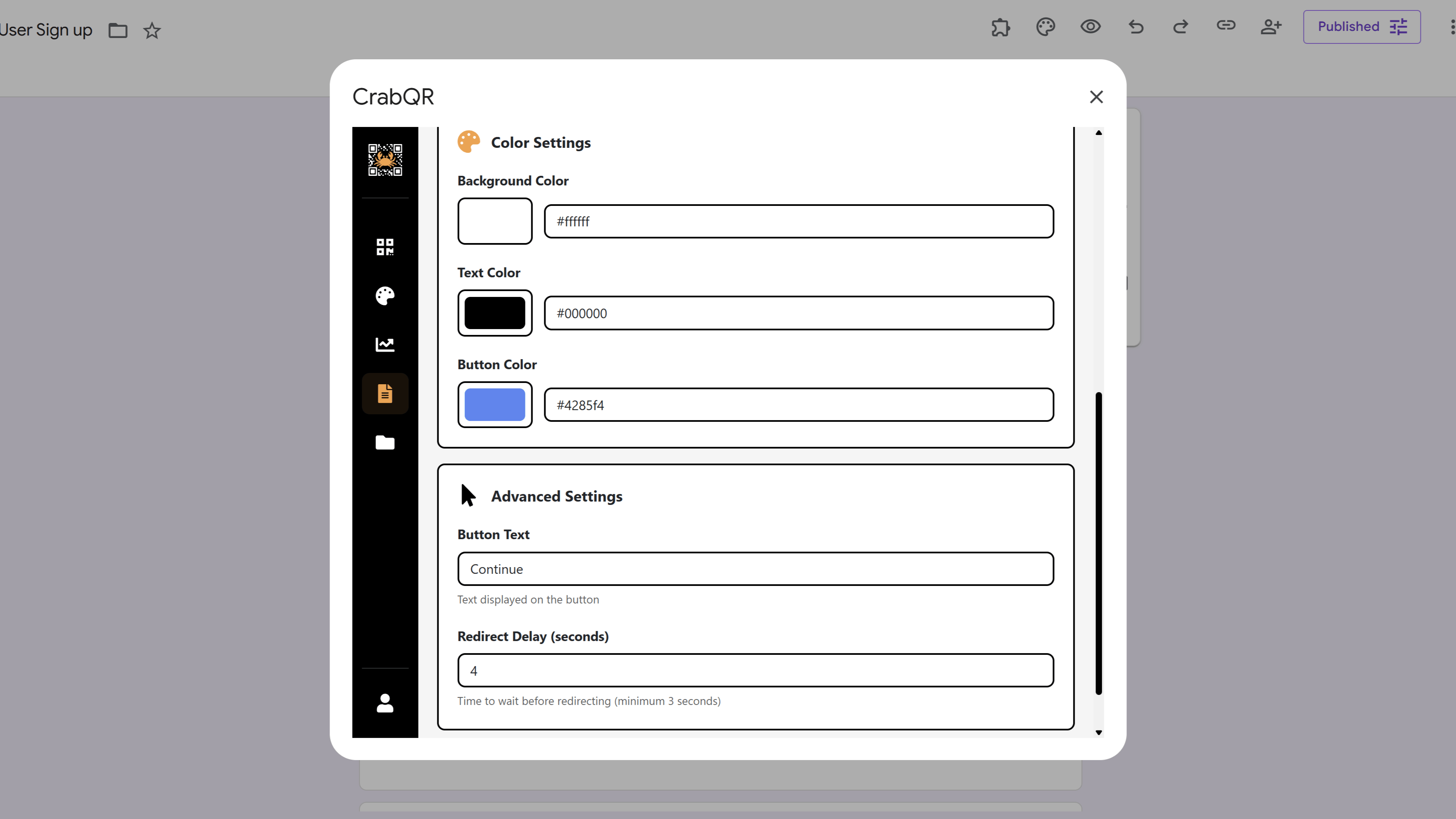
Set Redirect Delay
Use the Redirect Delay slider to control how long the landing page displays before automatically redirecting to the target URL. You can set delays from 0 (immediate) to 10 seconds. A delay of 3-5 seconds gives users time to read your message without feeling stuck. Alternatively, disable auto-redirect and require users to click the button manually, giving you more control over the user experience.
Assign to QR Codes
After saving your landing page template, you can assign it to any QR code.
When creating a new QR code or editing an existing one, look for the
Landing Page dropdown in the QR code form. Select your newly
created landing page from the list. Now when users scan this QR code, they'll
first see your branded landing page before being redirected to the final
destination URL. This is perfect for brand awareness, terms acceptance, or
marketing messages.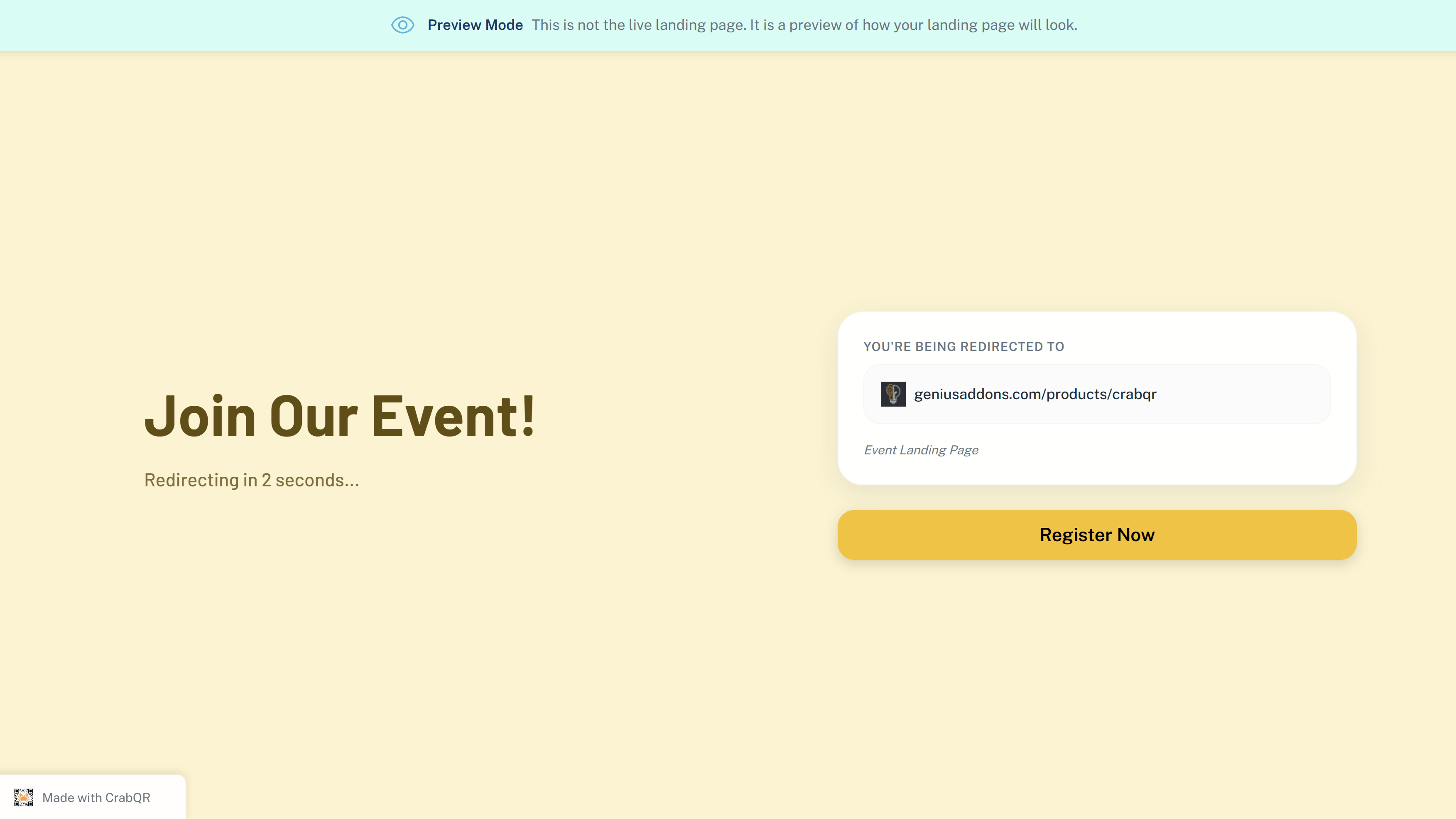
Tips and Best Practices
- Use landing pages for brand awareness - they help build recognition by showing your branding before redirecting.
- Keep welcome messages concise (under 50 words) - users want to reach their destination quickly.
- Ensure excellent color contrast between text and background for readability on all devices.
- Test your landing page on both mobile and desktop to ensure it looks good on all screen sizes.
- Use landing pages for terms acceptance, age verification, geographic routing, or special announcements.
Common Pitfalls to Avoid
- Don't use very long redirect delays (over 7 seconds) - users may think the page is broken and leave.
- Avoid cluttering the landing page with too much text or multiple calls-to-action.
- Don't use similar colors for the button and background - the button should stand out prominently.
- Remember that every landing page adds an extra step - use them strategically, not for every QR code.
CrabQR: QR Code Generator & Analytics
Create, customize, and track QR codes with advanced styling, landing pages, and comprehensive analytics. Perfect for marketing and event management.
- Dynamic QR code generation
- Advanced styling & customization
- Custom landing pages
- Real-time scan analytics
- Bulk QR code creation
- Built right into Google Workspace