Generate Quiz Questions from URLs
Create quiz questions from any webpage using Examize. Paste article, blog post, or educational resource URLs to automatically generate relevant quiz questions with AI content analysis.
4 min read
Updated 1/26/2026
Open Examize Sidebar
In your Google Form, navigate to Extensions → Examize to launch the add-on sidebar.
Click Generate
On the Examize home screen, click Generate to access the question generation interface.
Select From URL
Choose From URL as your generation method. This option allows
you to paste any webpage URL (article, blog post, educational resource) and
Examize will scrape the content to create quiz questions. Ideal for creating
assessments from online research or articles.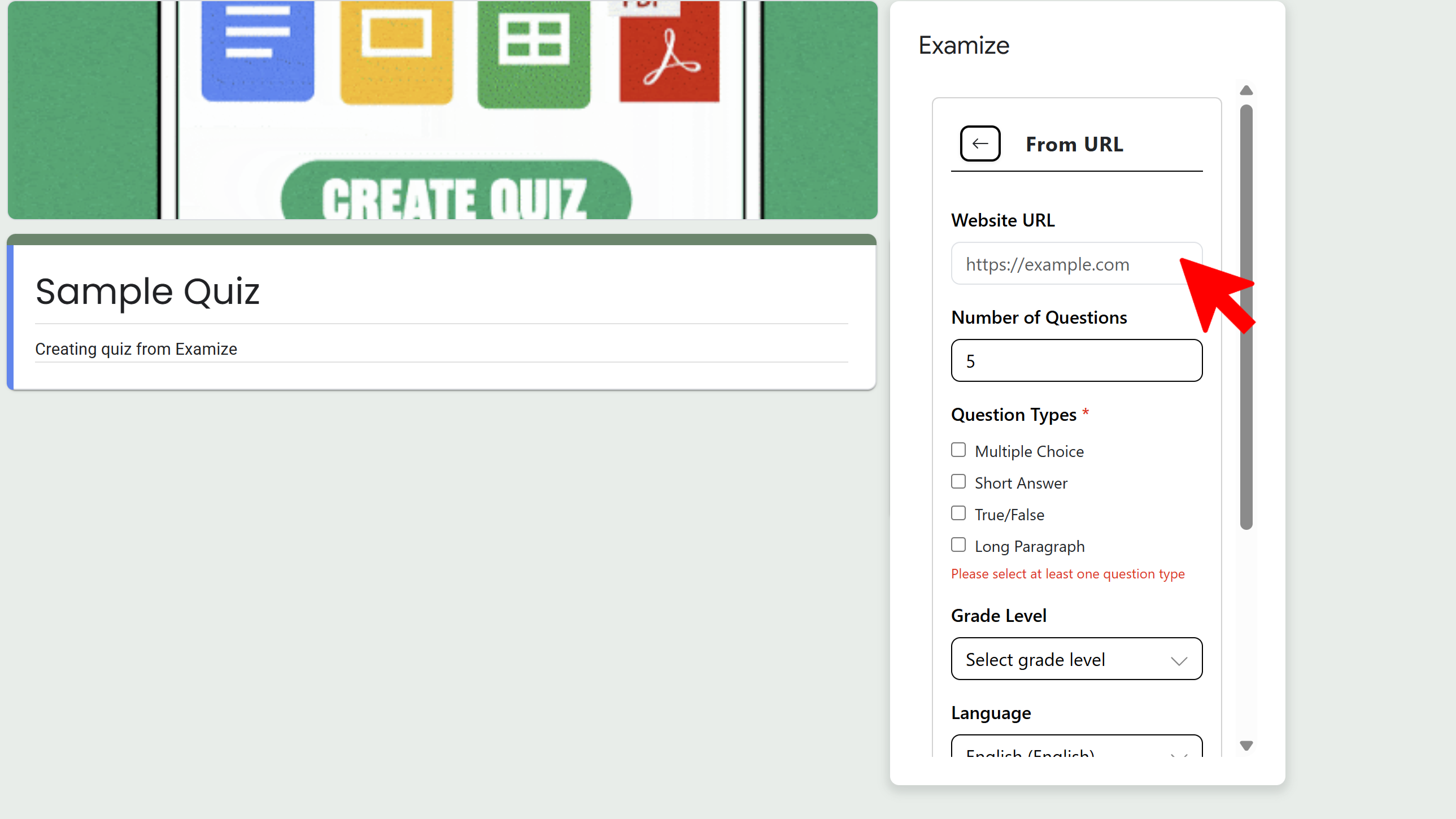
Paste Your URL
Copy the URL of the webpage you want to use (news article, educational resource, blog post, research paper, etc.) and paste it into the URL field. Examize will automatically fetch and analyze the content from that page.
Configure and Generate
Configure your question settings: number of questions, grade level, question types, language, and quiz settings. Click Generate Questions. The AI will analyze the webpage content and create relevant quiz questions with answers and feedback based on the article or resource.
Tips and Best Practices
- Use educational articles, news stories, or informative blog posts for best results.
- Longer articles with substantive content generate better questions than short blog posts.
- This is perfect for current events quizzes using recent news articles.
Common Pitfalls to Avoid
- Some websites may block content scraping - if this happens, try copying the content to a document instead.
- Pages with paywalls or login requirements won't be accessible to Examize.
- Pages that are primarily videos or images with minimal text won't generate good questions.
External Resources
Try Free
Examize: AI Quiz Maker
Create AI quiz questions for Google Forms in minutes. Generate, translate, and enhance quizzes with support for 70+ languages.
- AI-powered question generation
- Support for 70+ languages
- Multiple question types
- Generate from text, files, or URLs
- Auto-grading with feedback
- Built right into Google Forms