Remix Questions
Enhance and modify existing quiz questions using Examize's AI-powered Remix feature. Rewrite for clarity, adjust difficulty, or convert between question types. Available in Pro Plus, Team, and Enterprise plans.
4 min read
Updated 1/26/2026
Video Guide
Open Examize Sidebar
In your Google Form, navigate to Extensions → Examize to launch the add-on sidebar.
Click Remix
On the Examize home screen, click Remix . This feature is available in Pro Plus, Team, and Enterprise plans and lets you enhance and modify existing questions using AI. Perfect for improving clarity, changing difficulty, or converting question types.
Select Questions
Choose the question(s) you want to modify. You can select multiple questions to remix in batch. The Remix interface will display your selected questions ready for enhancement.
Choose Remix Action
Select your desired action: Rewrite to improve question clarity, adjust difficulty level, or completely rephrase questions while maintaining the core concept. Provide specific instructions like "make this clearer" or "increase difficulty" and the AI generates an improved version. 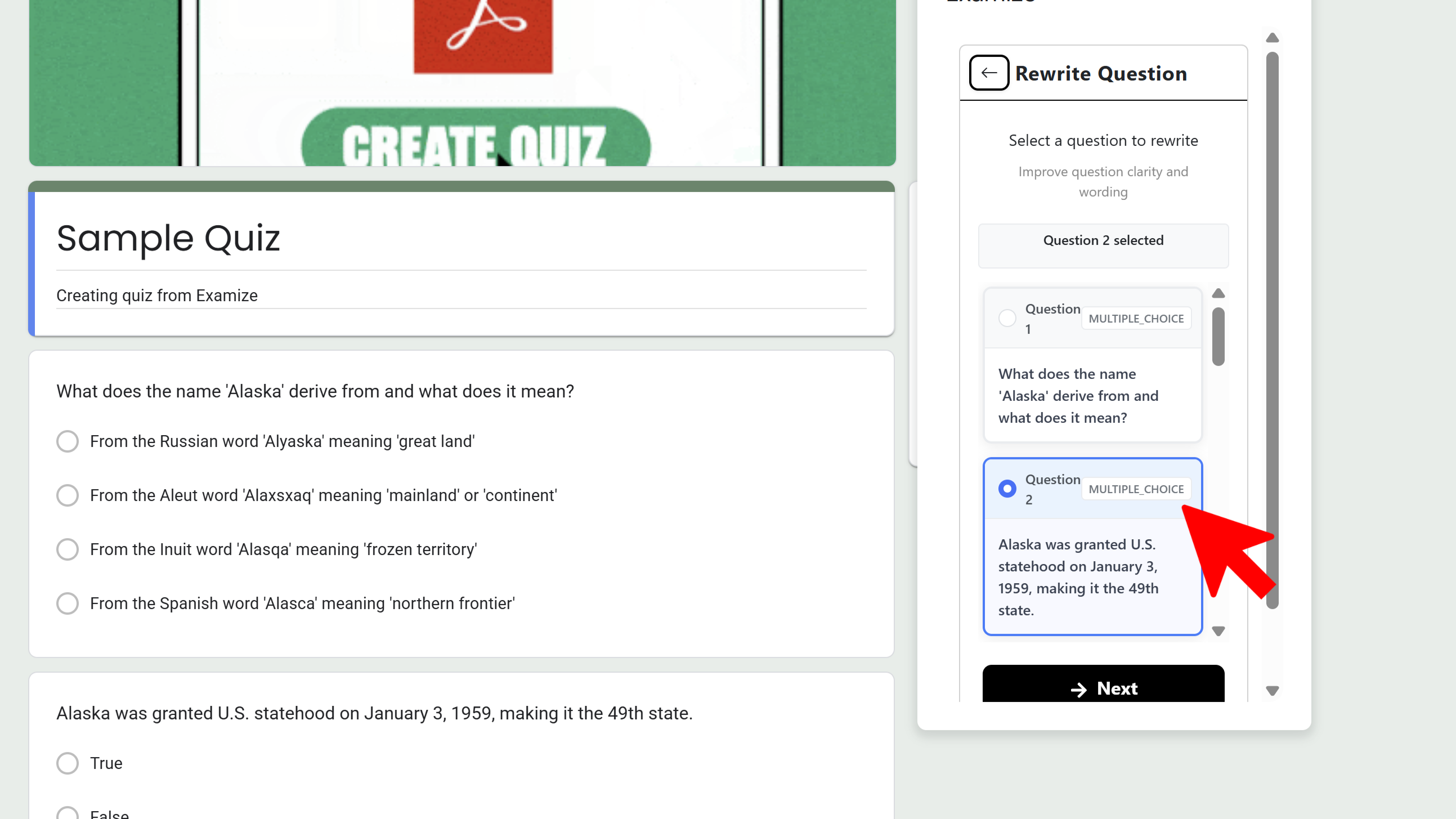
Or choose Convert to transform questions from one type to another while preserving content. For example, convert multiple choice to short answer, or true/false to multiple choice. Select the target question type and the AI adapts the content automatically. 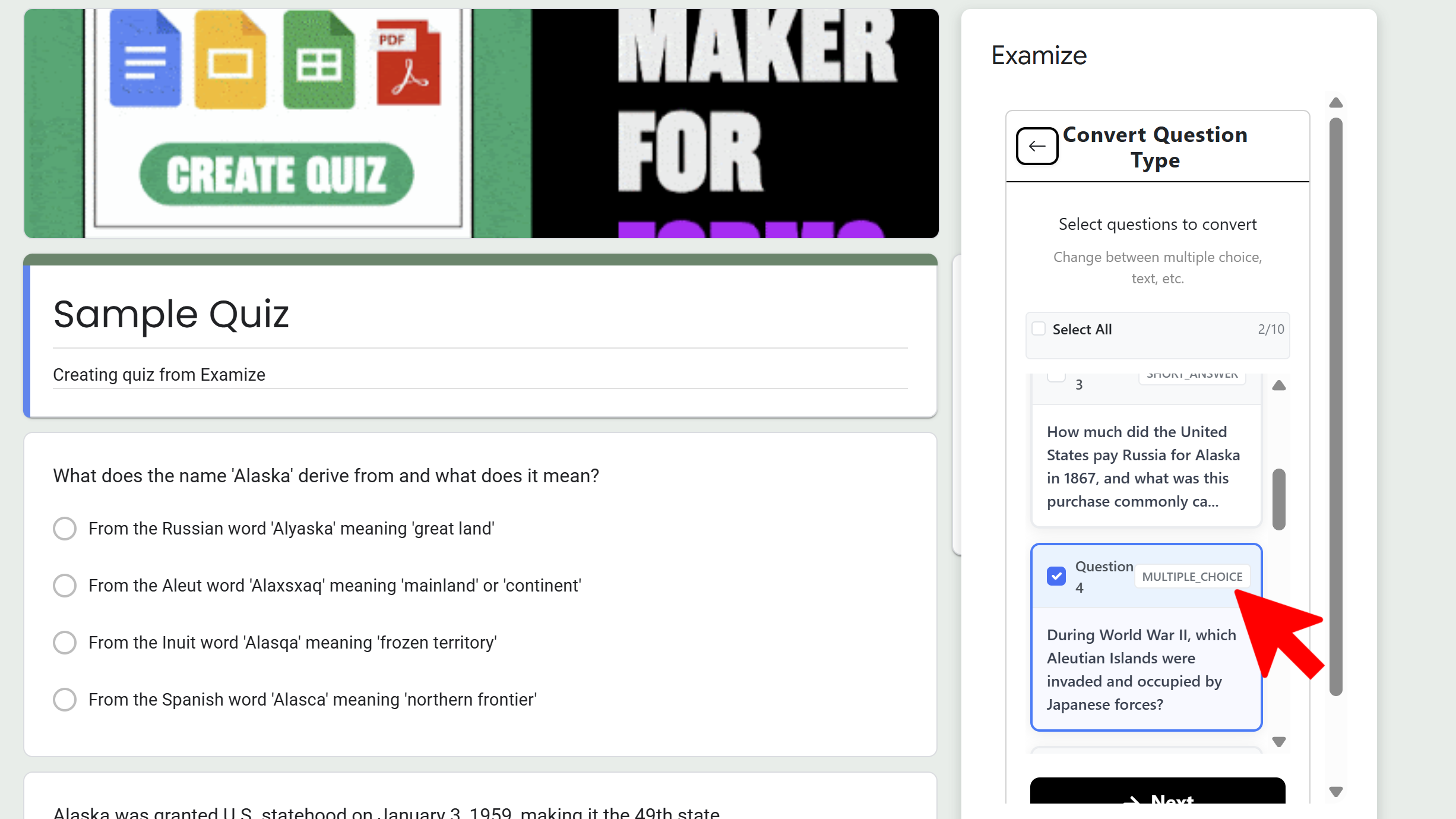
Tips and Best Practices
- Be specific with rewrite instructions - tell the AI exactly how you want the question improved.
- Use Convert to create different versions of the same assessment for variety.
- Remix is perfect for adapting questions to different difficulty levels for differentiated instruction.
Common Pitfalls to Avoid
- Vague rewrite instructions like "make it better" are less effective than specific requests.
- Some question types may not convert well to certain other types - review results before applying.
- Remember this is a Pro Plus+ feature - upgrade if you need access to Remix capabilities.
External Resources
Try Free
Examize: AI Quiz Maker
Create AI quiz questions for Google Forms in minutes. Generate, translate, and enhance quizzes with support for 70+ languages.
- AI-powered question generation
- Support for 70+ languages
- Multiple question types
- Generate from text, files, or URLs
- Auto-grading with feedback
- Built right into Google Forms