Translate Google Forms
Translate your entire Google Form quiz into 70+ languages with one click using Examize. Includes question text, answer choices, help text, and feedback for multilingual assessments.
4 min read
Updated 1/26/2026
Open Examize Sidebar
In your Google Form, navigate to Extensions → Examize to launch the add-on sidebar.
Click Translate
On the Examize home screen, click Translate. This opens the
translation interface where you can convert your entire form into 70+
languages with one click. This includes question text, answer choices, help
text, and feedback messages.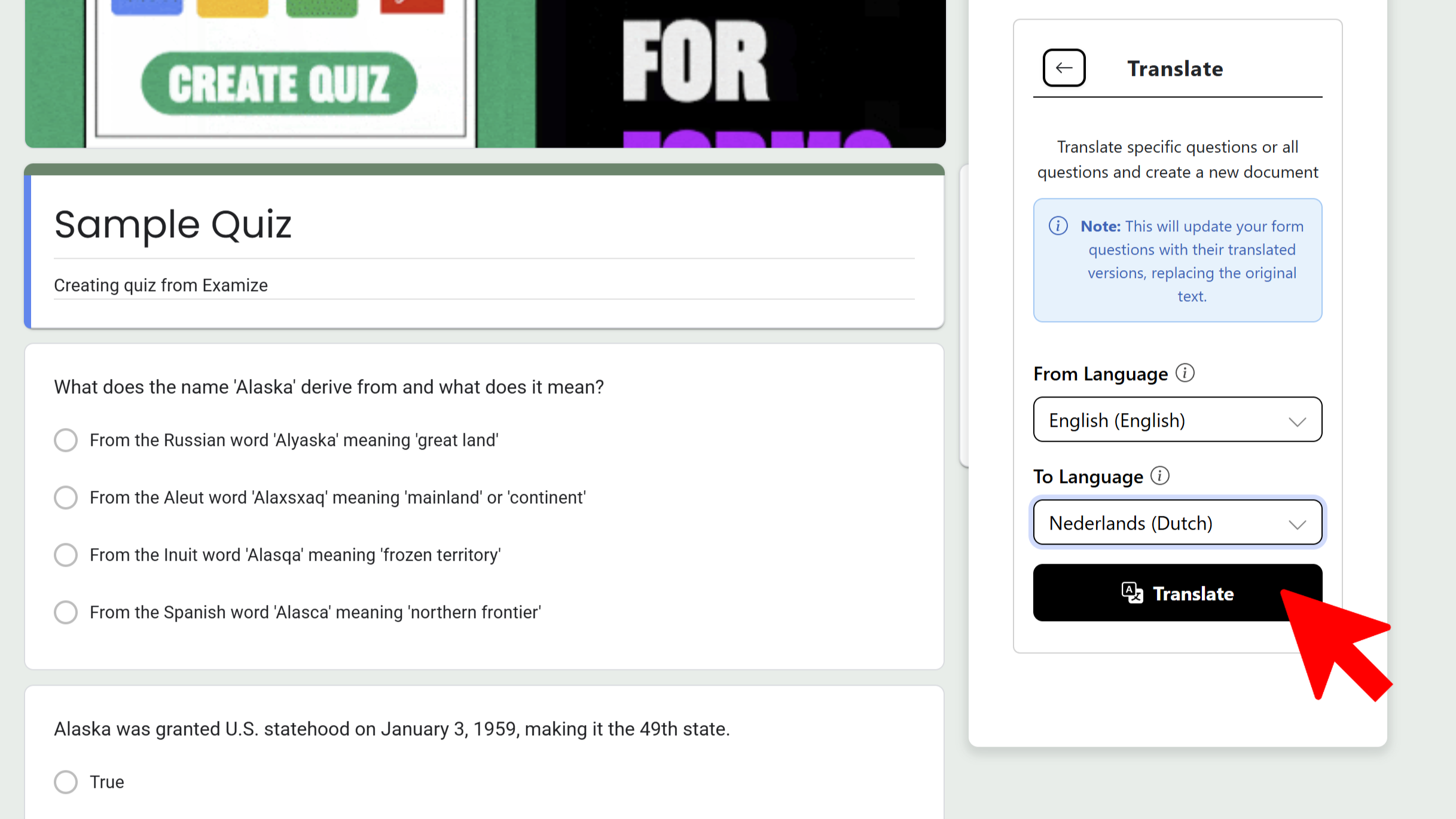
Select Languages
Choose your source language (or use auto-detect to let Examize determine it automatically). Then select your target language from 70+ options including Spanish, French, Chinese, Arabic, Hindi, Portuguese, Japanese, German, and many more.
Start Translation
Click Start Translation. Examize will begin translating all form elements including questions, answer choices, descriptions, and feedback. You'll see real-time progress updates as each element is translated. The AI ensures contextually accurate translations, not just basic word substitution.
Apply Translations
Once translation is complete, you can choose to apply the translations in-place (replacing the original text) or review the translations before applying. If you want to maintain both original and translated versions, create a copy of your form before translating.
Tips and Best Practices
- Create a copy of your form before translating if you need both language versions.
- Use auto-detect if you're not sure about the source language - it's very accurate.
- Review translations before publishing to ensure technical terms are correctly translated.
Common Pitfalls to Avoid
- Don't translate forms with highly technical jargon without review - specialized terms may need adjustment.
- Remember that translation replaces the original text unless you make a copy first.
- Some formatting may need minor adjustments after translation if text length changes significantly.
External Resources
Try Free
Examize: AI Quiz Maker
Create AI quiz questions for Google Forms in minutes. Generate, translate, and enhance quizzes with support for 70+ languages.
- AI-powered question generation
- Support for 70+ languages
- Multiple question types
- Generate from text, files, or URLs
- Auto-grading with feedback
- Built right into Google Forms