How to Check Word Count on Google Docs
A comprehensive guide on how to check the word count on Google Docs, as well as character count and page count.
Open Google Docs
Navigate to Google Docs by typing 'docs.google.com' into your web browser and hit Enter. If you're not already signed in to your Google account, it will prompt you to do so.
Open the document
Once you are in Google Docs, open the document you want to check the word count for. You can either create a new document by clicking '+ New Document,' or open an existing one from the list of your recent documents.
Access Word Count
Click on the 'Tools' tab located in the top menu bar.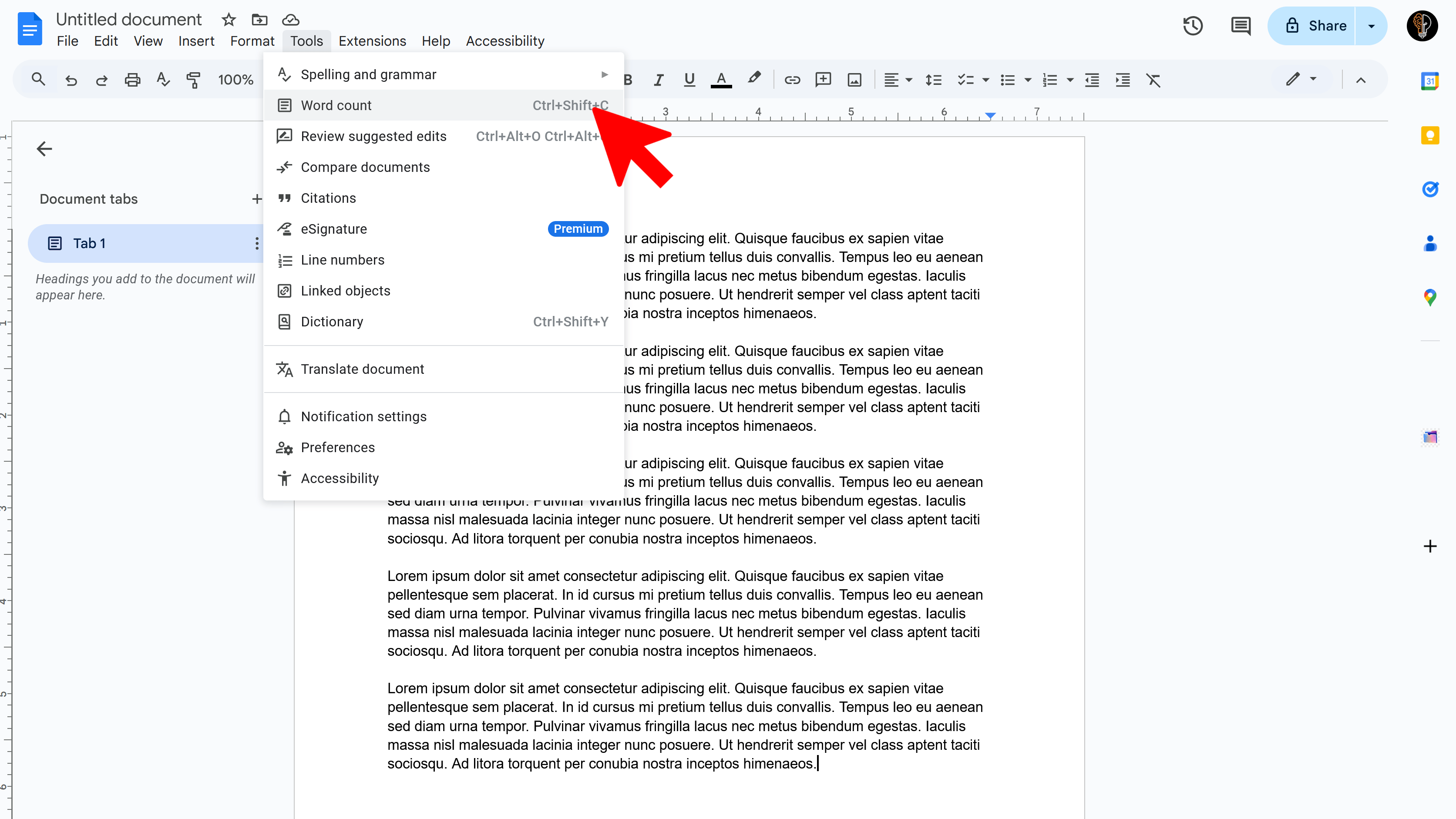
Click on 'Word Count'
A drop-down menu will appear when you click on 'Tools'. From this menu, select 'Word Count'. Alternatively, you can use the shortcut: Ctrl+Shift+C (for Windows) or Command+Shift+C (for Mac).
Check the Word Count
A box will pop up displaying the word count, character count (both with and without spaces), and page count.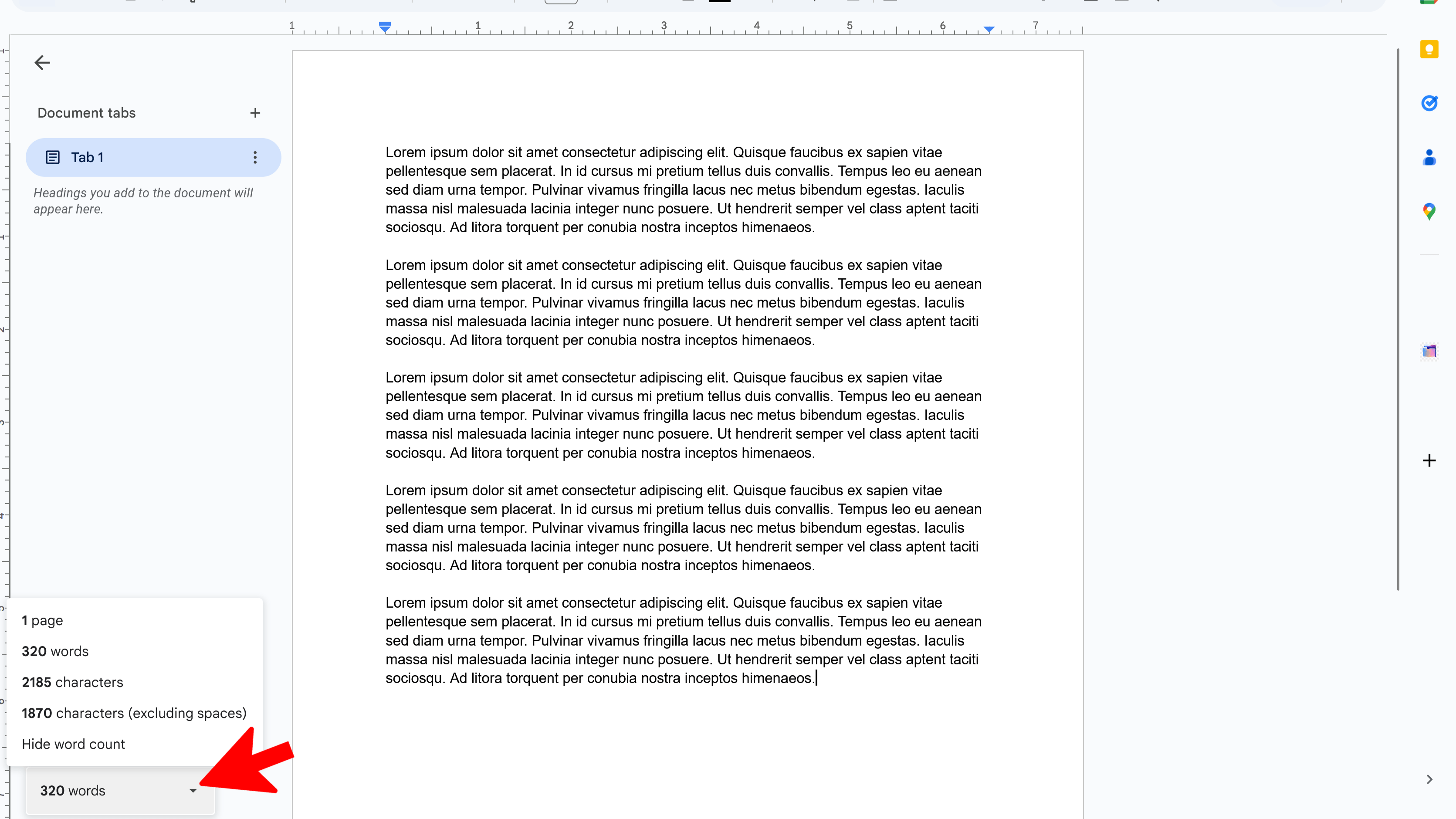
Tips and Best Practices
- To keep the word count visible as you work, check the box 'Display word count while typing' in the bottom of the word count box. This will show a word count at the bottom left of your document.
- You can also check the word count for a specific section of the document. Just highlight the text you're interested in, then follow the steps to check word count.
Common Pitfalls to Avoid
- Remember, headers, footers, and text inside shapes are not included in a document's word count.
- Be careful not to mistake 'character count' for 'word count'. These are two separate things.
External Resources
DocReader: Text to Speech & Translate
Convert text to speech and translate docs seamlessly. Perfect for accessibility and multilingual content.
- Text to speech conversion
- Downloadable audio files
- Customizable voice options
- Easy-to-use interface
- Enhances accessibility
- Built right into Google Docs