How to Add Music to Google Slides
Learn how to upload, insert, and format audio in Google Slides presentations, plus alternative methods like YouTube embeds.
4 min read
Updated 3/24/2026
- Upload Audio File to Google Drive
- Insert Audio into Google Slides
- Adjust Playback & Formatting
- Optional Alternatives
- Test in Presentation Mode
Upload Audio File to Google Drive
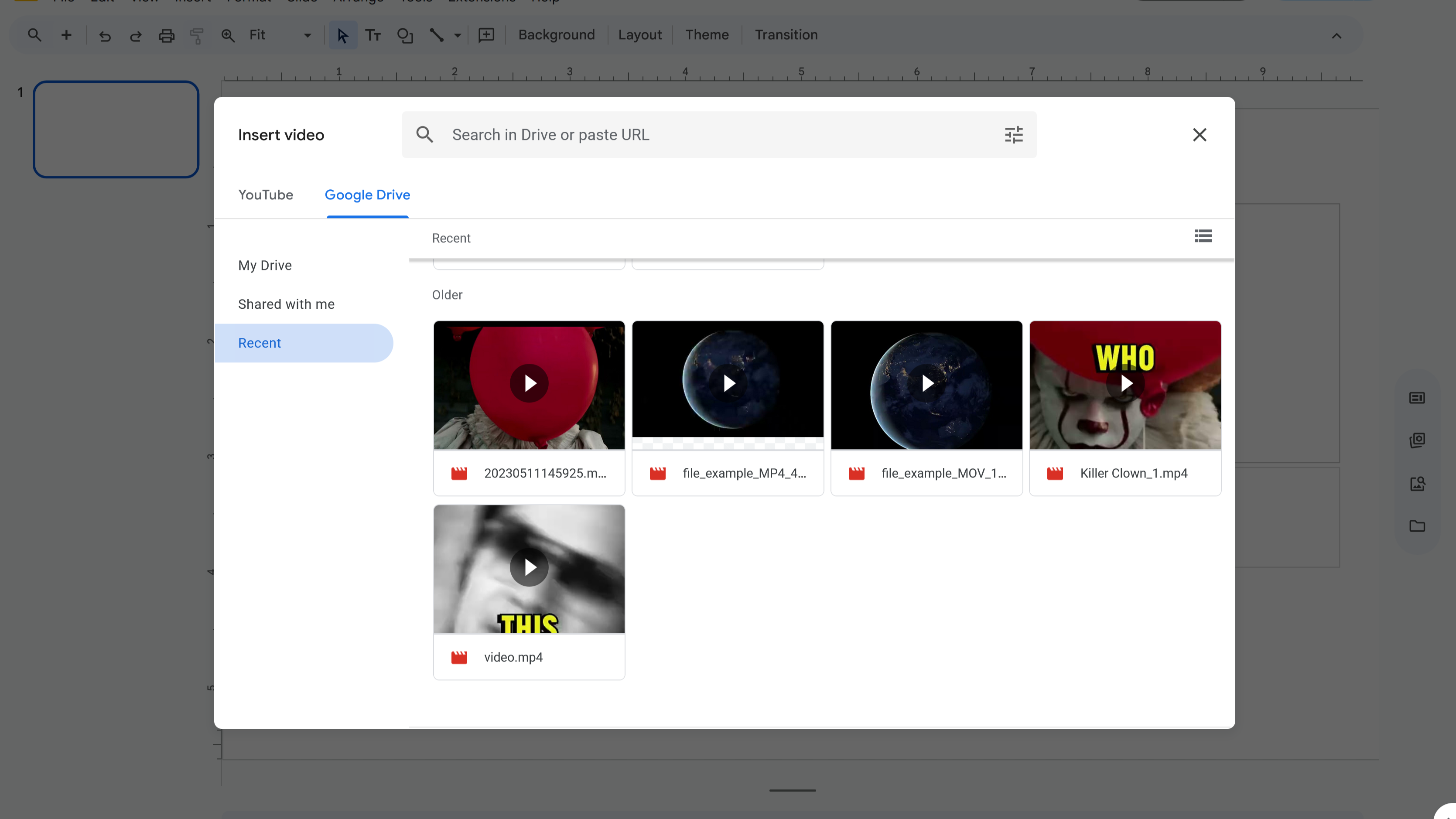
To add music in Google Slides , you first need to upload your audio file (MP3 or WAV) into Google Drive . Once uploaded, make sure to adjust the sharing settings so the file is accessible during your presentation.
- Go to Drive → New → File upload and select your audio file.
- Right-click the uploaded file → Share → set to “Anyone with the link.”
Insert Audio into Google Slides
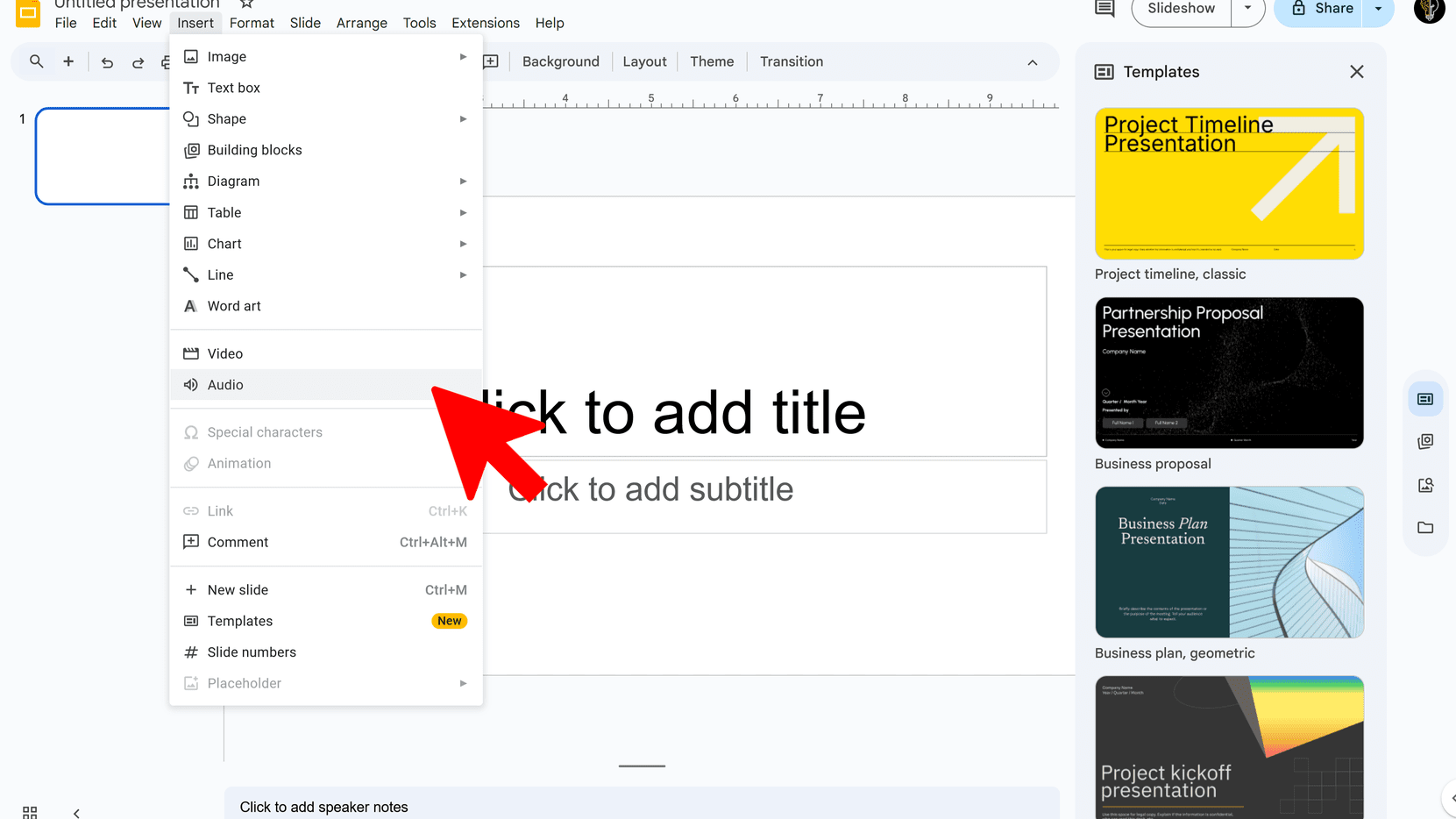
Next, open your presentation in Google Slides and insert the audio you uploaded from Drive.
- Open your presentation and go to the desired slide.
- Click Insert → Audio .
- Select your audio file from Google Drive.
Adjust Playback & Formatting
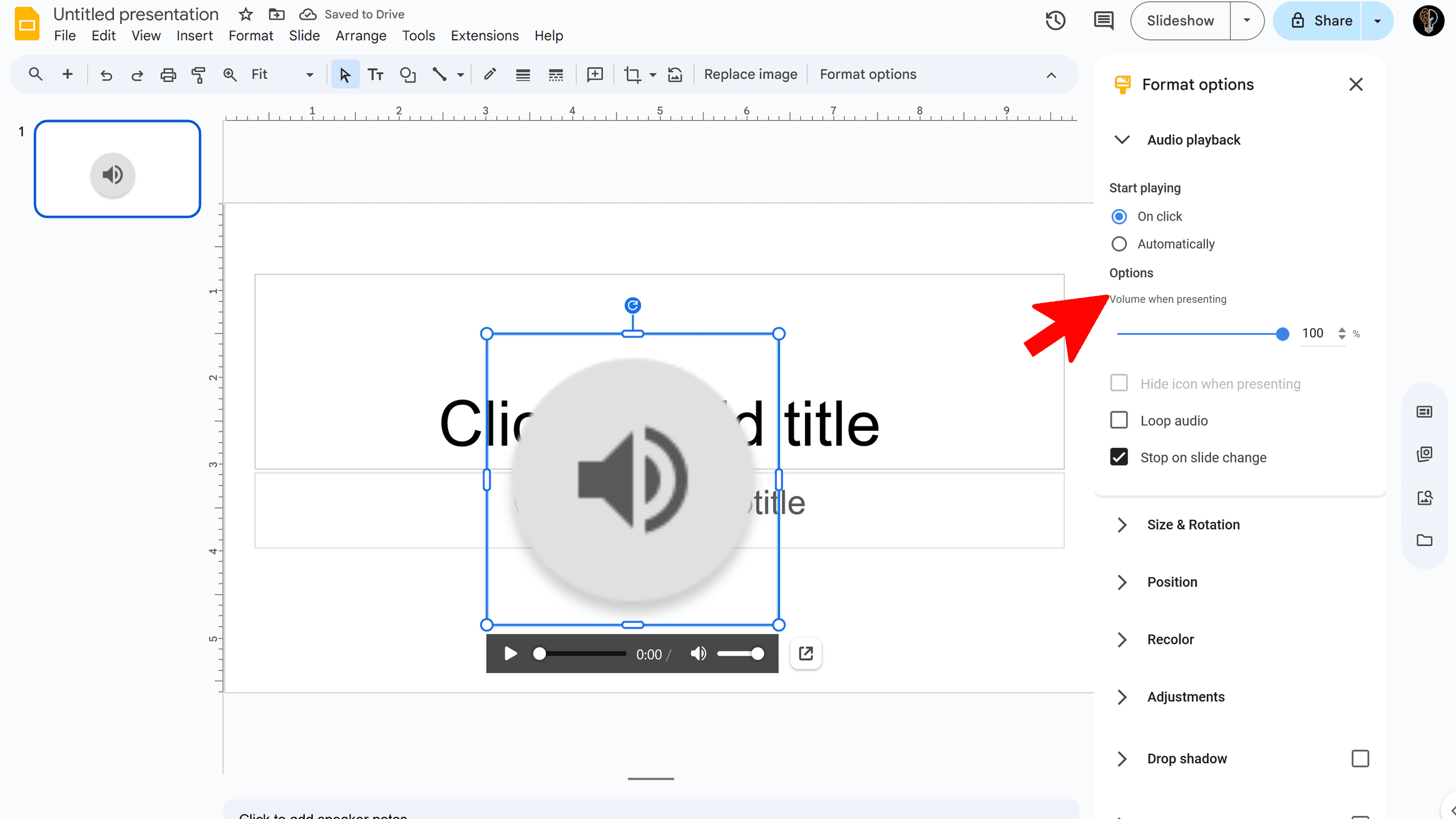
Once the audio is inserted, a speaker icon appears on the slide. You can customize playback and appearance using format options.
- Click the speaker icon → Format options .
- Choose whether audio plays automatically or on click .
- Uncheck “Stop on slide change” if you want continuous background music.
- Adjust volume and choose whether to hide the speaker icon.
Optional Alternatives
If you don’t have a direct audio file, there are other ways to include music in your presentation:
- Insert a clickable link to an online audio file.
- Embed a YouTube video set to autoplay (you can resize or hide it).
Test in Presentation Mode
Always test your presentation to ensure the music plays smoothly.
- Run your slides in Presentation mode to confirm playback.
- Check transitions and verify music continuity across slides.
🔗 Source: Google Docs Editors Help
Try Free
SlideBuild: AI Slides Maker
Create professional Google Slides presentations in minutes using AI. Perfect for business, education, and more.
- AI-powered slide generation
- Customizable templates
- Brand color palettes
- AI-generated images
- One-click slide creation
- Perfect for business and education