How to Embed a Video in Google Slides
Learn how to add videos into your Google Slides presentations.
Introduction
Adding a video to Google Slides makes your presentation more engaging and dynamic. You can insert videos from YouTube, Google Drive, or by using a URL. This guide will show you how to do it step by step on a computer, and what to know about mobile devices.

Steps to Insert a Video
To add a video to your Google Slides presentation (on a computer):
- Open your Google Slides presentation.
- Go to the slide where you want the video to appear.
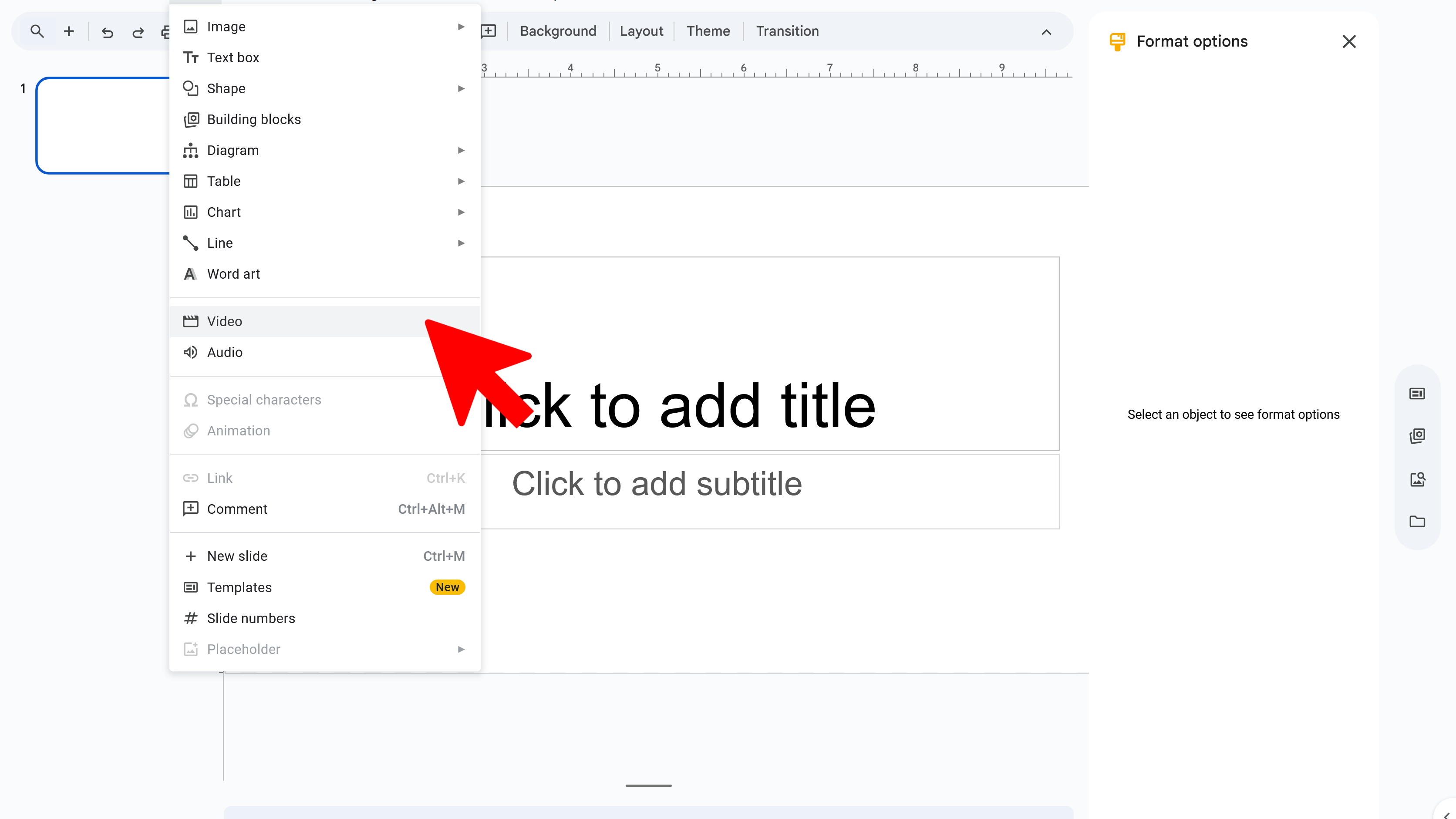
- Click on Insert in the top menu.
- From the dropdown, choose Video.
Video Sources
When inserting a video, you’ll be given several options for where to get it:
- Search YouTube: Find videos directly without leaving Slides.
- Use a YouTube URL: Paste a link to the video.
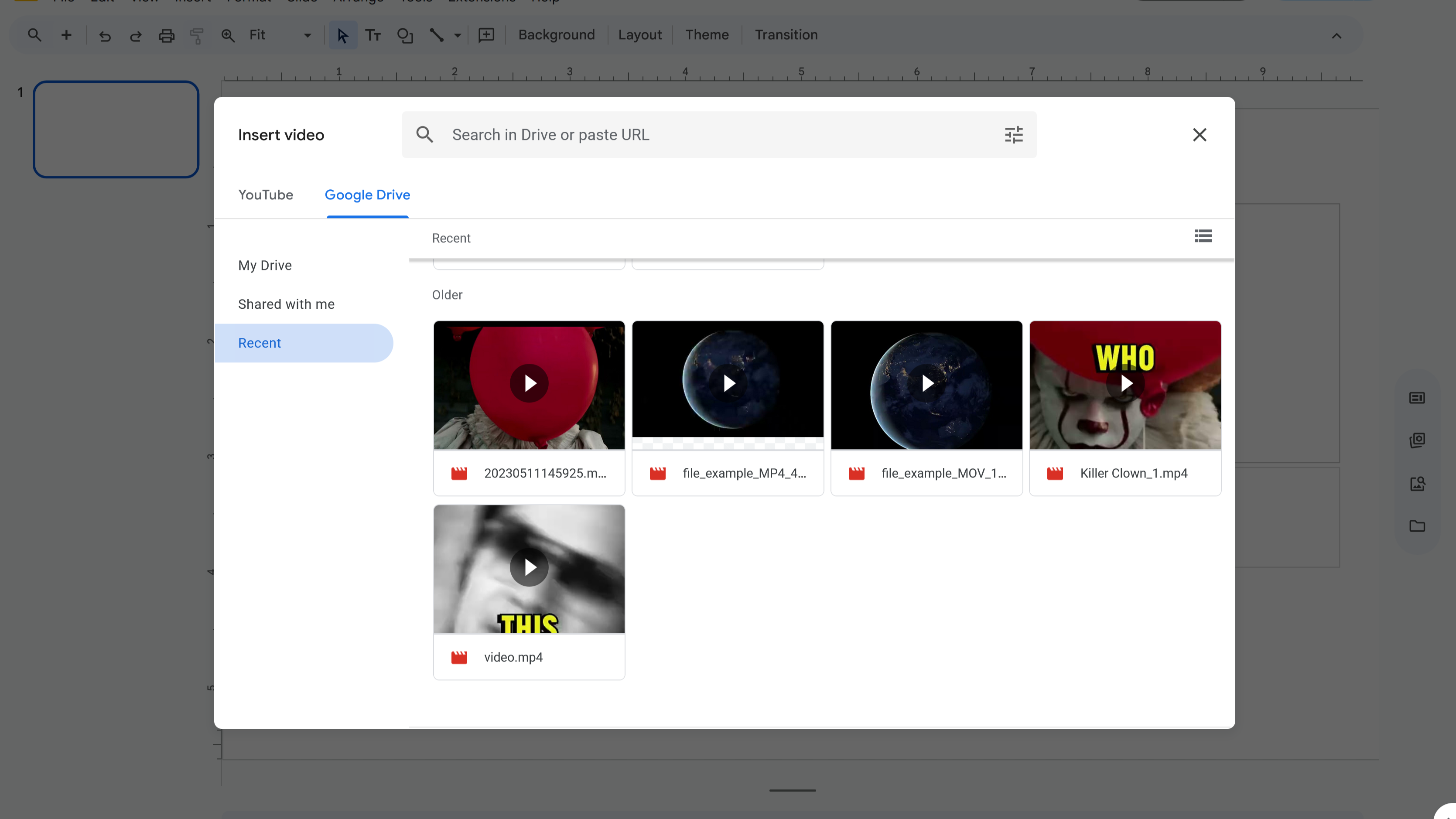
- From Google Drive: Insert videos stored in your Drive account.
Select the video you want and click Select (or Insert). The video will appear on your slide.
Adjusting Size & Playback
Once the video is on your slide, you can adjust it:
- Resize or move: Drag the video or use the corner handles to resize it.
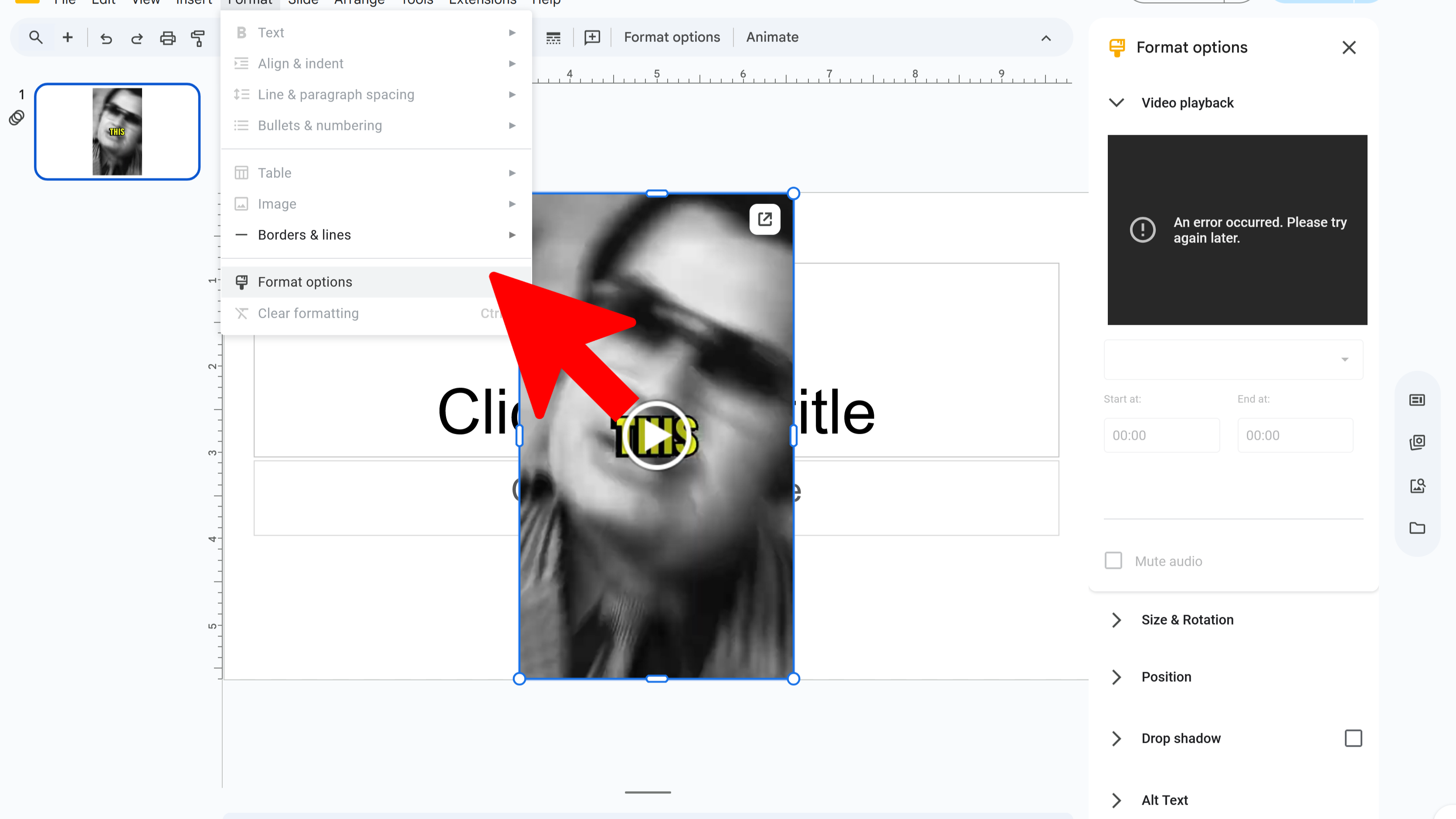
- Playback settings: Click the video → Format options → Video playback to set whether it starts automatically, on click, or at a specific timestamp.
Mobile Limitations
On mobile devices (tablet or phone), the Google Slides app has more limitations. In many cases, you cannot insert a video directly from the app. Instead, you may need to:
- Use a browser and request the desktop version of Google Slides.
- Upload your video to Google Drive first, then insert it from Insert → Video → Google Drive using the desktop version.
Once inserted on desktop, the video will still play when viewing the presentation on mobile devices.
SlideBuild: AI Slides Maker
Create professional Google Slides presentations in minutes using AI. Perfect for business, education, and more.
- AI-powered slide generation
- Customizable templates
- Brand color palettes
- AI-generated images
- One-click slide creation
- Perfect for business and education