Configure Choice Limiter
Set up choice-based quotas in Termi to automatically remove form options when they reach capacity. Perfect for managing time slots, workshop capacity, meal preferences, and resource bookings with individual limits for each option.
4 min read
Updated 1/26/2026
Open Termi Sidebar
In your Google Form, navigate to Extensions → Termi to launch the add-on sidebar with access to all features.
Click Choice Limiter
On the Termi home screen, click Choice Limiter. This opens
the Choice-Based Limiter interface, also known as the Choice Eliminator. This
feature automatically removes options from your form when they reach their
quota.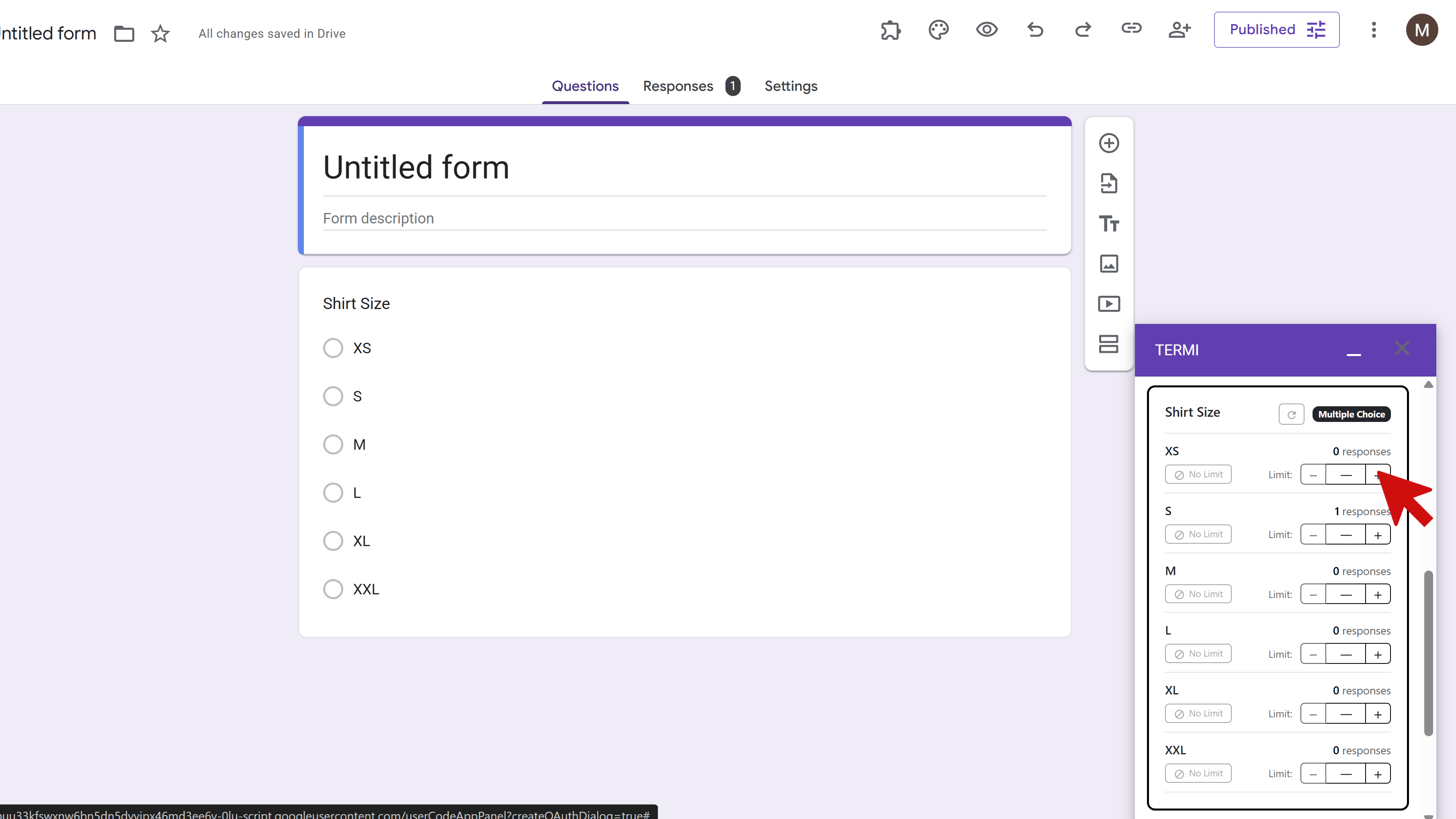
Select Your Question
Choose the question you want to add limits to from the dropdown menu. The Choice Limiter works with Multiple Choice, Checkboxes, Dropdown Lists, Multiple Choice Grids, and Checkbox Grids. All available questions from your form will be listed.
Set Choice Quotas
For each choice option in your selected question, enter the maximum number of selections allowed. For example, set "10" for a time slot that can only accommodate 10 people, or "25" for a meal option with limited availability. Enable limits only for the choices you want to track by toggling them on.
Tips and Best Practices
- Use choice limits for managing time slots, workshop capacity, meal preferences, room bookings, or equipment rentals.
- Choice limits work with 'Other' options - tracking is based on how many times 'Other' is selected, not the specific text entered.
- You can set limits on as many questions and choices as you need within a single form.
Common Pitfalls to Avoid
- Don't forget to enable the toggle for each choice you want to limit - just entering a number isn't enough.
- Remember that when a choice is eliminated, it completely disappears from the form - make sure your closing messages account for this.
- Test with small quotas first to verify that choices disappear correctly when limits are reached.
External Resources
Try Free
Termi: Form Limiter & Choice Eliminator
Automate form management with response limits, choice quotas, scheduling, and real-time alerts.
- Automatic response limits
- Choice-based quotas
- Time-based scheduling
- Real-time email alerts
- Choice elimination
- Fully automated monitoring